Guide & FAQ
What is no‑serve?
no‑serve is a private, locally hosted Plex server. Once you're set up and your sources are pinned, you generally never need to return to this website unless you forget these instructions.
Wait, what is Plex?
Plex is a free program available on iOS, Apple TV, Smart TVs, and the web. While Plex has its own small library of content, its main purpose is playing video files from a remote computer's hard drive. It organizes everything with high-quality artwork and credits to make your personal library look like a professional streaming service. Most importantly, it allows you to stream shared libraries from friends, which is where no-serve comes in.
1. Account Setup
You must have a Plex account to gain access. If you don't have one yet, please sign up using that link.
Note: When you request access, you will need to provide the exact username or email address you used for your Plex account, so make sure you have that ready.
2. Playback & Quality
For the best experience, please set your video quality to Maximum or Original (Direct Play). This keeps the visual quality high and the server healthy.
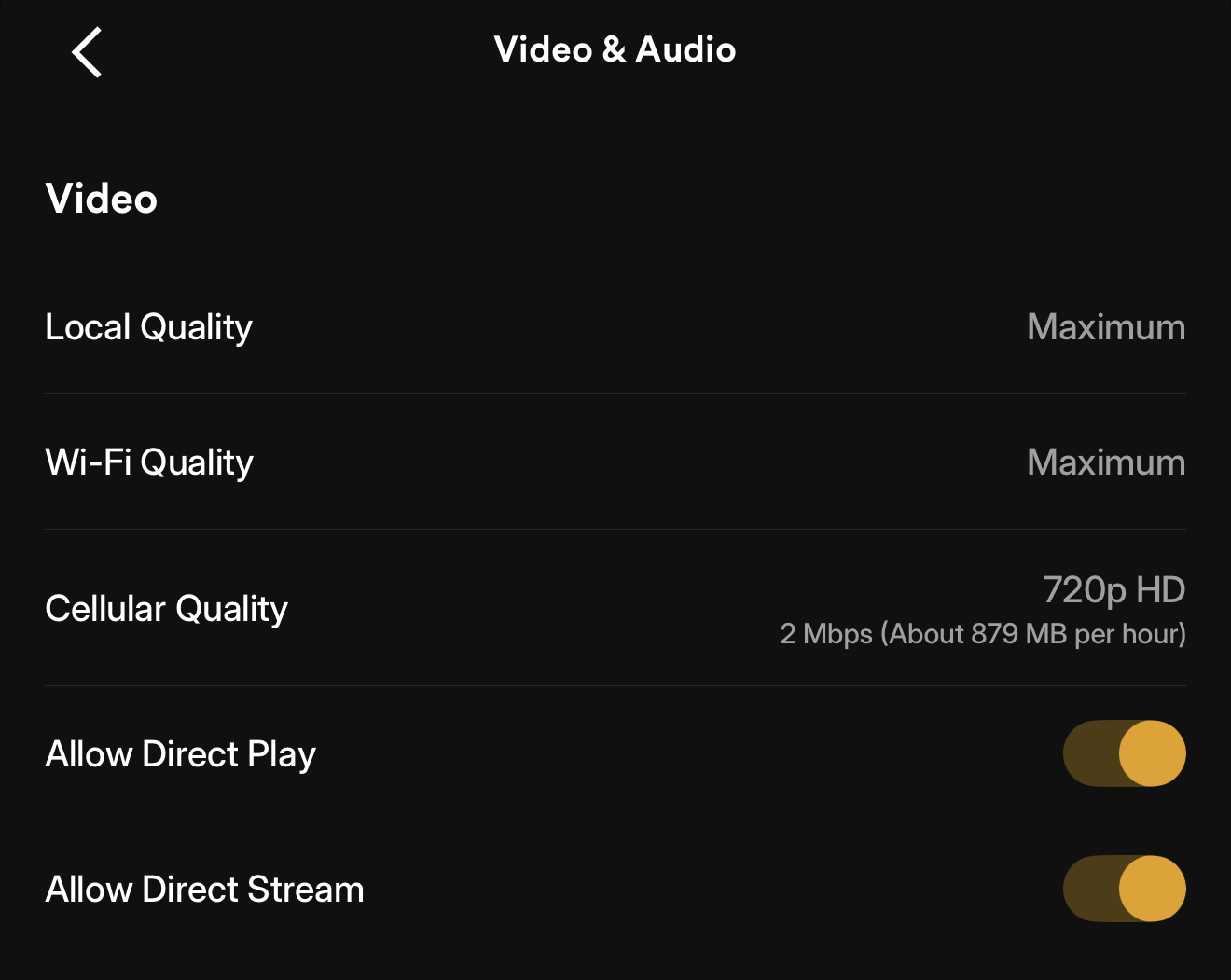
Note: Transcoding is perfectly fine for cellular data or device compatibility issues. Just use Direct Play when you can!
3. Clean Up Your Sidebar
Plex includes default "Free" content that can be cluttered. I recommend unpinning all default sources and focusing only on the no-serve libraries.
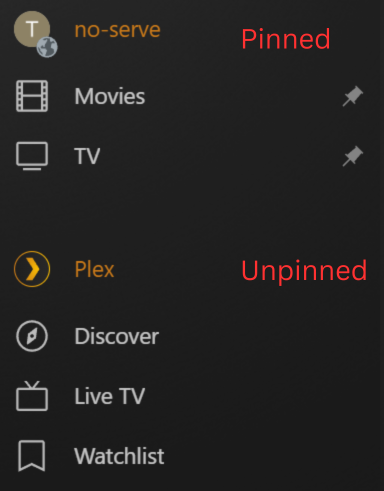
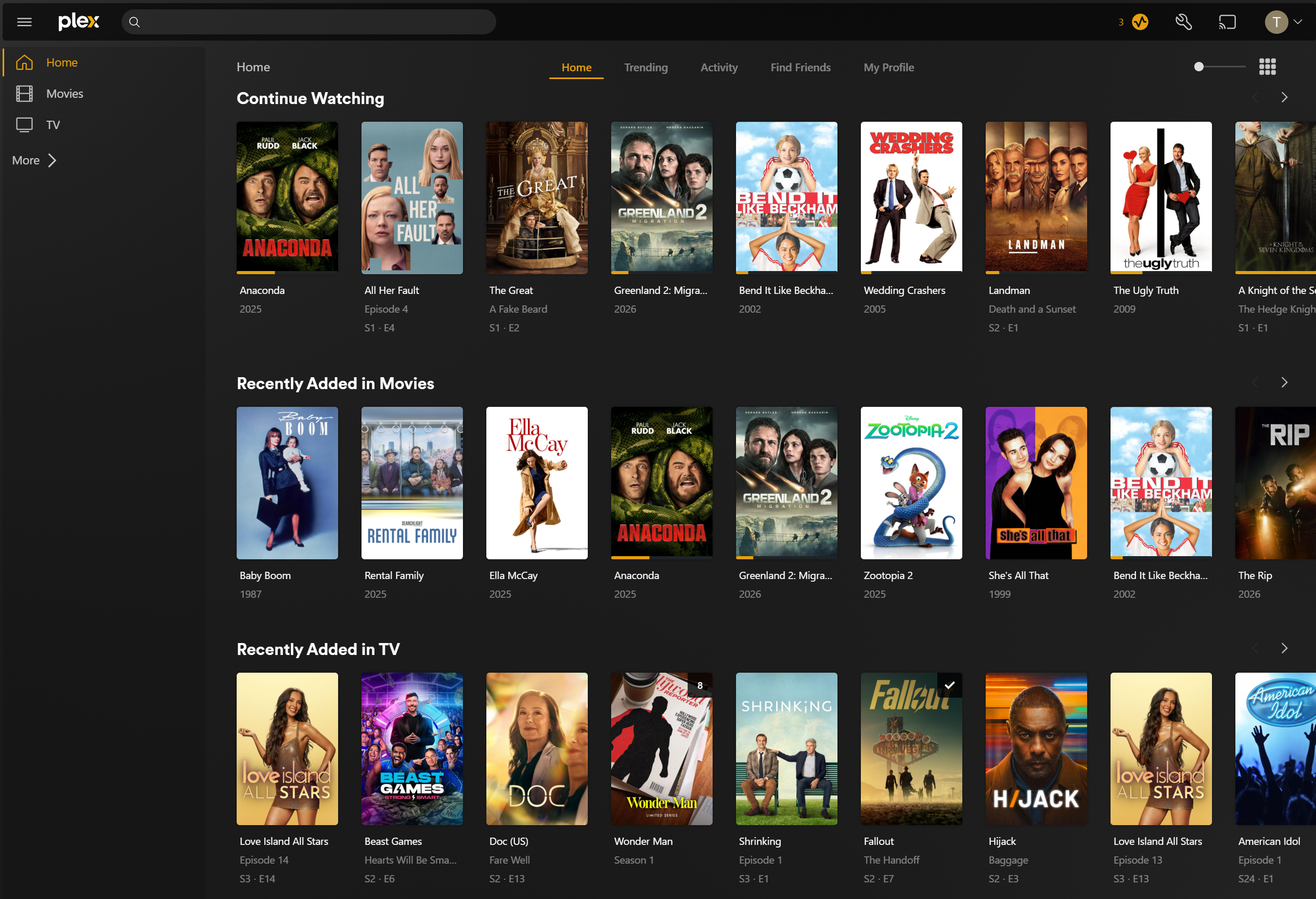
4. Your Finished Home Screen
Once you are finished with the cleanup, your home screen should look something like the image below. You can see what you have been watching, see what has been added recently, and search for movies or tv. Your pinned sources will also be easy to access on the side.
5. Media Requests
Request new media at request.no-serve.com. I recommend bookmarking that URL for easy access.
Pro Tip: On mobile, use the "Add to Home Screen" option in your browser. This creates a dedicated icon that launches the request page in a full-screen Web App mode, removing the browser address bar for a native app feel.
6. Streaming Etiquette
Please do not leave streams running while paused or unattended. When finished watching, close the stream to free up resources for others.
7. Troubleshooting
Mobile devices require a one-time activation fee from Plex. For media-specific issues, please use the report link below.